
Ecommerce website development cost includes more than the storefront. Your budget needs to cover the initial build, the services that keep the store running, and the charges incurred when customers pay. Product data, shipping rules and business integrations can change a quote as much as the visual design.
A subscription price is useful for estimating one part of that budget. It is not the price of having someone plan, design, populate and launch your store. Likewise, a development quote may leave hosting, paid tools and ongoing support to you.
This guide shows how to separate those costs and compare proposals for the same store. The worked example below totals $7,820 for setup and first-year fixed website costs, or $12,020 including the example's payment fees. Those figures demonstrate the calculation; they are not a market average or a Sajlog offer.
Start with the store you actually need
Before asking “How much does an ecommerce website cost?”, describe what someone must be able to buy and what your team must do after the order arrives.
Consider a small homeware business with 40 products. If the owner supplies clean descriptions and photos, uses one payment provider and ships from one location, the launch can have a relatively contained scope. Add personalized engraving, wholesale prices, subscription boxes and inventory shared with a physical shop, and the development requirements change substantially.
Product count alone does not capture that difference. Forty products with dozens of combinations and conditional prices can require more work than a larger, well-organized catalog of simple items.
Separate the build, running and selling costs
Budget category | What to include | What to ask |
|---|---|---|
Build and launch | Design, development, product import, integrations, testing and handover. | Which deliverables are included in the fixed quote, and what triggers a change charge? |
Keep it running | Platform or hosting, domain renewal, paid tools, backups and agreed maintenance. | Who pays each renewal, and who fixes an issue after launch? |
Process sales | Payment fees and any applicable platform transaction or usage charges. | How do charges change with order volume, payment method or customer location? |
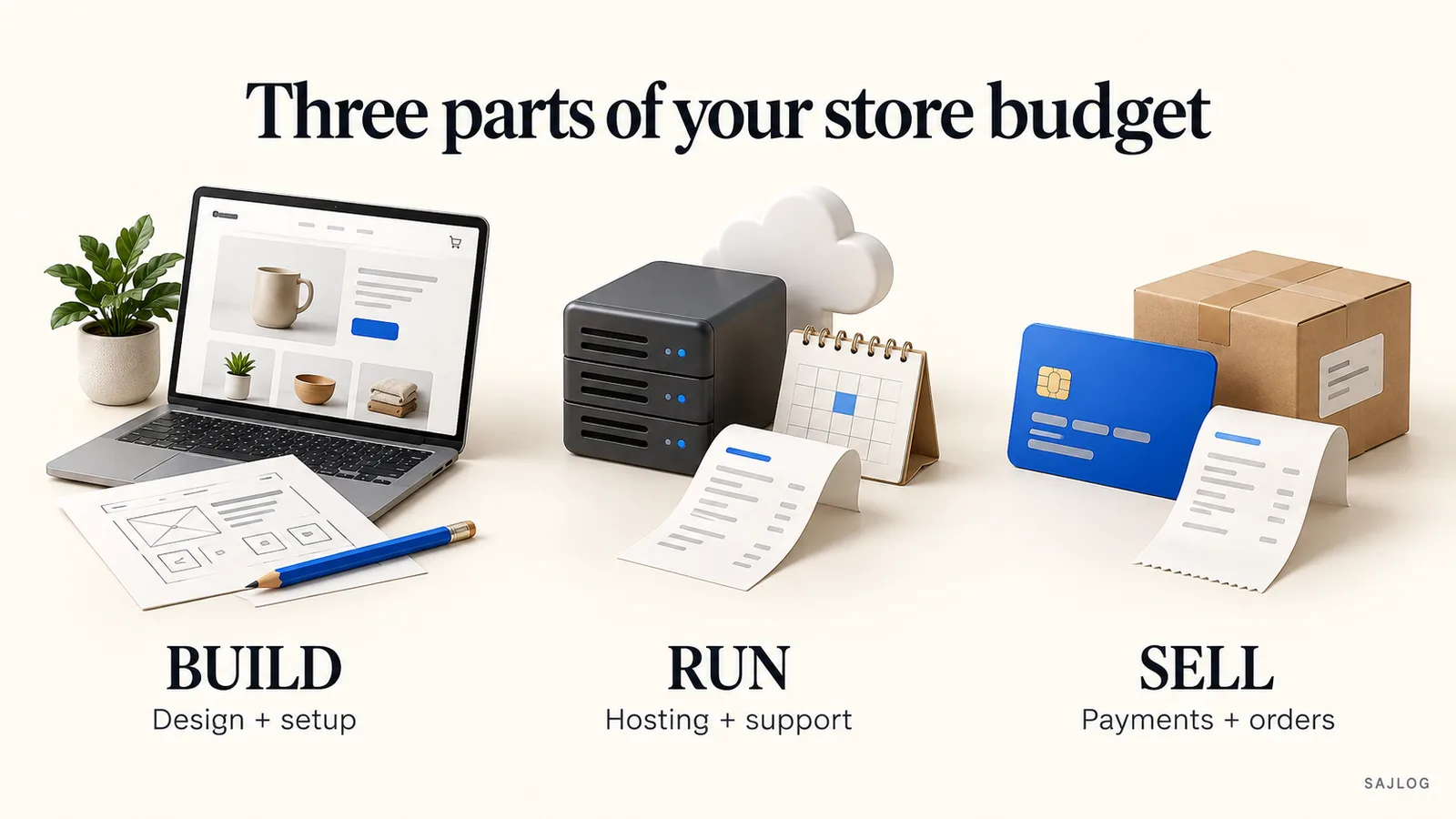
Also keep inventory, packaging, delivery, marketing and the time spent managing orders in your wider business budget. They matter to profitability even when they are outside the website developer's scope.
Platform prices are a starting point
As checked on October 5, 2026, Shopify's US pricing page lists Basic at $39 per month when paid monthly, or $29 per month when billed yearly. The yearly subscription therefore works out to $348. Hosting is included, but that subscription does not pay an agency to create your content or build a custom design.
WooCommerce's core platform is free, while hosting, development and any paid extensions are separate considerations. A free software license does not remove the work of setting up and maintaining a store.
For a custom application, ask for the proposed hosting, database, email and support costs alongside the build price. Compare the complete first-year commitment. Avoid paying twice for hosting that a platform already includes, or assuming a paid tool is included because it appears in a demo.
Check the vendor's current terms before buying. Billing period, country, add-ons and payment choices affect the final bill.
What changes an ecommerce development quote?
1. Product data and variations
Agree on the number of products to be entered, who prepares the import file, and who supplies descriptions, images, weights and dimensions. Identify variation rules, such as size and color combinations, before development starts.
Ask for a small sample import first. Finding inconsistent product identifiers in ten records is easier to resolve than discovering them across the complete catalog at launch.
2. Design and content responsibilities
A theme adaptation and a custom storefront are different deliverables. Ask which page layouts are included, how many design reviews you get, and whether mobile layouts, product photography and written content are part of the price.
“Five pages” can be misleading for a store. A category layout, product layout, basket, checkout and customer account each have different states to design and test.
3. Checkout, delivery and payments
List the countries you will serve, shipping options, discount rules and payment methods you need at launch. Local pickup, split shipments, subscriptions and purchase approvals each introduce decisions that a simple checkout may not cover.
Confirm merchant-account eligibility before committing to a payment integration. Ask your developer to test successful and failed payments, cancellations, refunds and the order confirmation flow.
4. Connections to other systems
“Integrate inventory” is too vague for a dependable quote. Name the existing system, which records move between systems, how often they update and what happens if an update fails.
For example, sending new orders to a fulfillment provider is a different job from synchronizing stock, tracking numbers, refunds and partial shipments in both directions. Agree which system owns the stock figure.
5. Migration and launch checks
If you already sell online, include product and customer data handling, old URL redirects, order history requirements and a launch rollback plan. Have the developer explain which historical records can be transferred and which cannot.
For any store, agree on checks for mobile checkout, stock changes, transactional emails, backups and recovery. Include technical search basics such as page titles, canonical URLs and a sitemap. Search rankings are not a deliverable that a developer can guarantee.
A worked first-year ecommerce budget
Illustrative scenario: a new custom store with 40 client-supplied products, one language, one currency, one approved payment integration, straightforward shipping rules and no legacy-system integration. Every project and operating figure below is an assumption for this example, not a quoted price.
Assumed expense | Calculation | First year |
|---|---|---|
Agreed design, build and launch scope | One-time assumed quote | $4,800 |
Domain registration | Assumed annual charge | $20 |
Hosting and database | $60 × 12 months | $720 |
Paid email or other tools | $40 × 12 months | $480 |
Agreed maintenance allowance | $150 × 12 months | $1,800 |
Setup plus fixed website costs | Before payment fees | $7,820 |
This custom-store example does not also include a Shopify subscription. Replace the assumptions with the actual platform, supplier and support quotes for your project; do not combine charges for different setups.
Add payment fees using expected orders
Stripe's US standard pricing lists 2.9% plus $0.30 per successful domestic-card transaction. International cards, currency conversion and other services can add charges.
For an illustrative month with 200 domestic-card orders at $50 each:
Processed amount: 200 × $50 = $10,000.
Percentage fee: $10,000 × 2.9% = $290.
Per-transaction fee: 200 × $0.30 = $60.
Total example payment fees: $350 per month, or $4,200 for 12 identical months.
Adding that to the example's $7,820 fixed budget gives $12,020 for the first year. The example excludes taxes, inventory, delivery, advertising, disputes, refunds and additional services. It assumes the full processed amount is $50 per order and is a planning calculation, not a sales forecast.
Your payment provider and contract may differ. Use their applicable rate, the amount actually processed and your expected number of transactions.
Compare proposals against the same brief
Send the same requirements to each developer. Then compare inclusions before comparing totals. A smaller quote can be appropriate when the scope is smaller; it becomes a problem when responsibilities are unclear.
Ask each provider to confirm:
Catalog: included product count, variations, content preparation and import responsibility.
Storefront: included layouts, custom design versus theme work, and revision limits.
Operations: checkout, shipping, discounts, customer accounts and named integrations.
Recurring costs: platform, hosting, tools, payment fees and optional support, listed separately.
Ownership: who controls the domain, hosting, merchant account, source code and third-party licenses.
Acceptance: the launch tests, training, documentation and agreed defect-fix period.
Changes: how new requirements are priced and approved.
Request a second price for optional features. That makes it possible to launch with essential functionality and add a feature later without losing sight of its cost.
Reduce the scope without weakening the checkout
For a first launch, consider one market, one currency and a smaller, organized catalog if that fits your business. Supply approved product information early. Use an existing integration where it meets your requirements, rather than commissioning a custom connection by default.
Defer features such as a loyalty program or advanced product configurator until you have a clear business need. Keep essential payment testing, access controls, backups and mobile usability in the launch scope.
If wholesale ordering, a distinctive product workflow or existing business systems are central to the store, discuss those requirements before choosing a platform. Sajlog's ecommerce website development service covers custom storefronts, payment integrations and product and order management within an agreed project scope.
Questions small-store owners ask
Can I launch for just the monthly platform price?
You may be able to configure a basic store yourself, but a subscription does not cover every expense or the value of your time. Check domain costs, paid tools, content preparation and payment fees. Professional setup or custom development is a separate purchase.
Does a custom ecommerce website remove transaction fees?
No. A custom store can still use a payment processor that charges for transactions. Ask separately about payment processing, platform-specific transaction charges and paid integration services.
Is maintenance included in the development cost?
Only if the agreement includes it. Distinguish a limited defect-fix period from ongoing monitoring, backups, updates, support and new feature work. Ask who responds if checkout stops working after handover.
What should I send to get an accurate quote?
Send a sample product file, your launch markets, shipping rules, preferred payment provider, required integrations and example stores you like. Include your target launch date, available content and a list of features that can wait.
Get a quote for your actual store
Start with a brief your developer can evaluate: what you sell, how many products you have, where you ship and what happens after an order. Ask for the build price and ongoing charges separately.
Tell Sajlog about your ecommerce project to discuss the catalog, checkout, integrations and launch requirements. Pricing and delivery dates are agreed after reviewing that scope.